Put the row filter above the engines

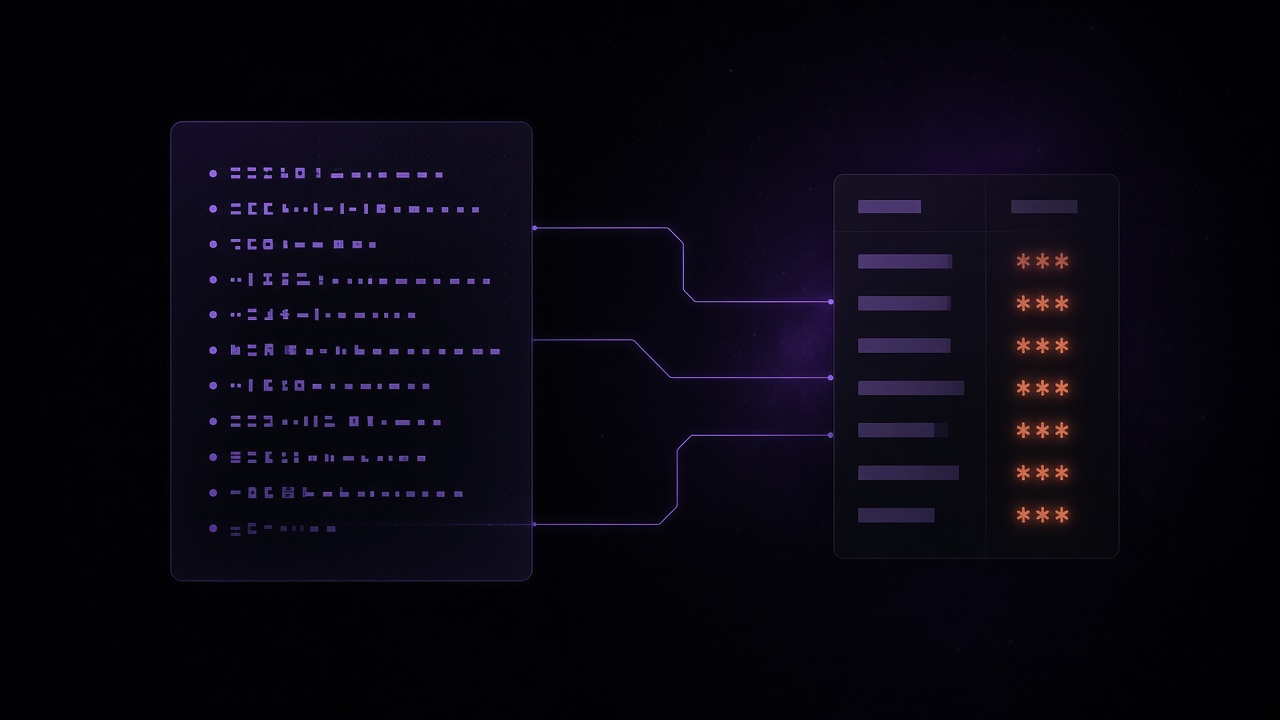
Here's a failure mode I've watched more than once.
Someone builds a careful API. Every handler adds WHERE customer_id = ?. The BI team connects with a warehouse user that can see everything, because "it's just dashboards." An analyst pastes a query into a notebook. An agent gets a connection string for "exploration." Six months later you're explaining why a SELECT * left the building with payment columns intact.
The filter lived in the application. Everything that didn't go through the application skipped it.
If the only place that knows the tenant is your handler, every other client is a hole.
QueryFlux puts that decision in the query path instead — next to routing and the rest of the guardrails — so a notebook, a dashboard, an MCP agent, and your API all hit the same rewrite.
Guardrails are not row filters
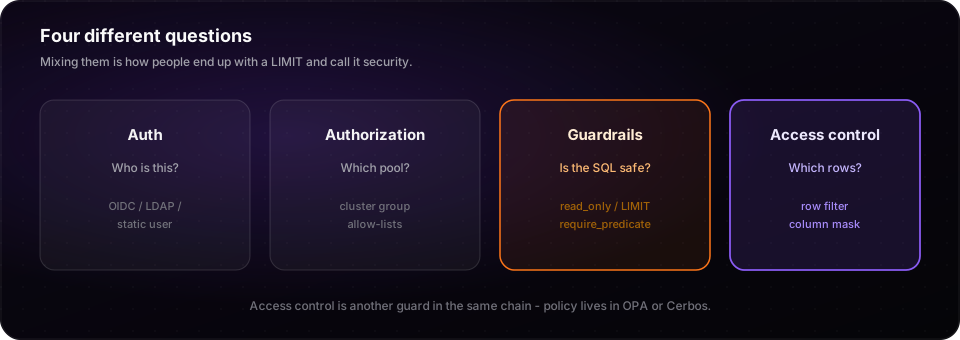
It's easy to collapse these into one bucket labeled "security." They aren't the same job.
| Layer | Question |
|---|---|
| Guardrails | Is this SQL safe to run at all? (read_only, outer LIMIT, require a predicate on fact tables, …) |
| Access control | Given who authenticated, which tables may they touch, and under what row filter or column mask? |
A row_limit of 5,000 stops a runaway scan. It does not stop someone from reading another customer's 4,999 rows. A require_predicate guard makes people write a WHERE. It does not write the right WHERE for them.
Access control is the piece that does. In QueryFlux it is another guard in the same chain — recorded next to read_only in Studio — but the policy itself lives outside the proxy, in OPA or Cerbos. QueryFlux extracts what the query touches, asks the provider, then allows, denies, or rewrites before dialect translation and the engine.
Why "put it on the warehouse" falls apart
Native RLS is fine when you have one engine and everyone talks to it. Most teams that end up with QueryFlux don't have that luxury.
You route BI to StarRocks and ad-hoc SQL to Trino on the same Iceberg tables. DuckDB handles the small local stuff. Snowflake still owns a slice you haven't moved. Each of those systems has a different story for row-level security — or none. Re-implementing the same tenant predicate four times is how the stories drift. Skipping it on the "temporary" DuckDB path is how you get a finding in the next review.
One policy provider. One rewrite in front of every backend. The engine receives SQL that already has the filter baked in, whether or not it knows what RLS is.
What the rewrite actually looks like
People assume this means "AND something onto the outer WHERE." That breaks the moment you have a CTE, a self-join, or a subquery that scans the table under another name.
QueryFlux does scan-site substitution. Each real table reference becomes a subquery that applies the filter and any column masks, then the outer query keeps talking about name and ssn as if nothing happened:
-- what the client sent
SELECT name, ssn FROM customers

-- roughly what runs after a region filter + SHOW_LAST_4 on ssn
SELECT name, ssn FROM (
  SELECT
    name,
    CASE WHEN ssn IS NULL THEN NULL ELSE '****' || substr(ssn, -4) END AS ssn
  FROM customers
  WHERE region = 'EU'
) customers
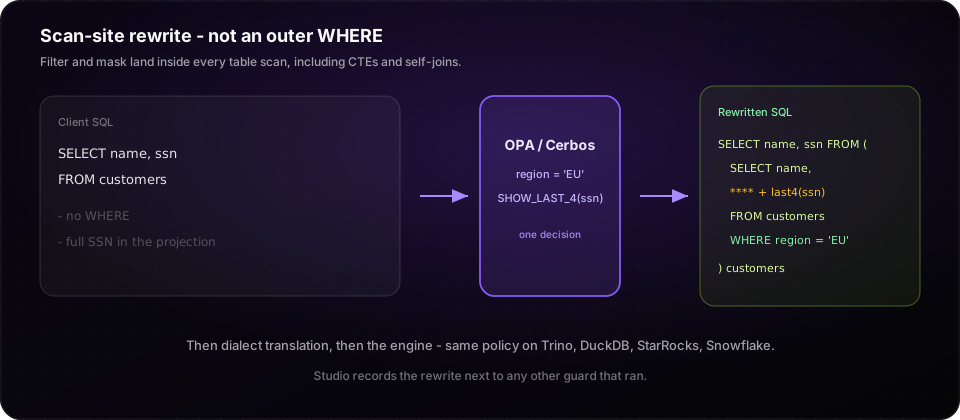
The expressions are written in the source dialect — the SQL the client wrote. Access control runs before sqlglot, so one Rego (or Cerbos) decision rides the normal translation pass when the query lands on a different engine.
Masks aren't only "replace with ****." Built-ins cover NULL, constants, redact, show first/last four, year-only dates, and hash. When you need a UDF or something dialect-specific, CUSTOM splices an expression you author. Prefer the named types when they fit; reach for CUSTOM when they don't.
Three patterns that show up in real systems
1. Internal analysts, different scopes
OIDC groups map cleanly here. EU analysts get region = 'EU'. Support gets billing tables with payment fields masked. Engineers get more columns. Policy branches on identity and cluster group; QueryFlux just enforces what comes back. The internal analysts walkthrough and the examples/with-opa / examples/with-cerbos stacks are the starting point.
2. Customer API: actor ≠ subject
Your API authenticates the end user and resolves customer_id = 7. It should not connect to QueryFlux as customer 7. Connect as a service account, pass customer through an allowlisted session param, and let the provider return customer_id = '7' as an explicit row filter.
That keeps the audit trail honest (Studio shows api-service-a, not a fake customer login) and keeps your handlers from re-implementing the predicate. QueryFlux never string-substitutes session params into SQL on its own — the provider must return the expression. Details: Customer API row filters.
3. Support on behalf of an account
Same actor/subject split: the support agent is the identity; the account they're helping is session context. Row filter scopes the account; column masks hide card numbers and similar fields. Same guard, same history, no special "support warehouse user" that can see everything.
What you still have to get right
A few sharp edges, because this is the kind of feature that fails quietly if you treat it as magic:
failOpen: falsein production. If the provider is down, deny. Don't invent a "temporary" open window.SELECT *needs a catalog. Column masks expand stars from catalog metadata. Without it, configureonMissingSchema: denyso you don't silently widen access.- Session params are context, not filters. Allowlist the keys; validate literals in policy before you
sprintfthem into an expression. - Views are separate objects. A policy on
customersdoes not automatically coverv_customers. Grant (or deny) the view on purpose. - Writes have their own rules. Row filters on
UPDATE/DELETEget ANDed into the statement like Postgres RLS. A column mask on a write is denied — masks change what a read returns.
Dry-run in Studio (POST /admin/access-control/dry-run) is worth using before you ship a Rego change. You see the rewrite without executing.
What this adds up to
You keep one place that decides where a query runs. This is the place that decides what it is allowed to see — independent of which engine is underneath, and independent of whether the client remembered to add a WHERE.
Guardrails keep the SQL from being reckless. Row filters and column masks keep the data from being careless. Both belong in the path every client already has to walk.
Start with the access control overview, then pick OPA or Cerbos. For the API pattern, use Customer API row filters.