Offload Snowflake queries without changing clients

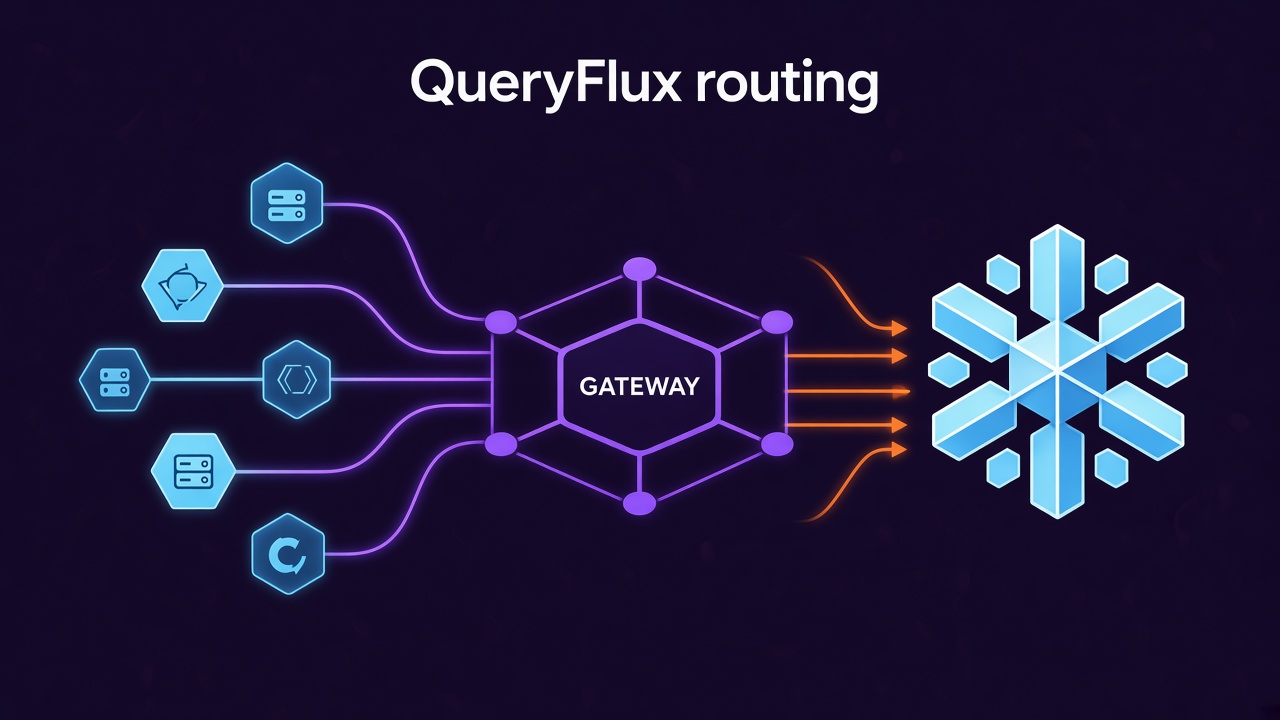
Snowflake bills for warehouse time. A lot of that time goes to queries that don't need it: dashboard refreshes, small lookups, exploratory SELECTs from notebooks. If your data already lives in open formats like Iceberg, an engine you already run (Trino, StarRocks, DuckDB) could answer many of those queries.
The blocker is rarely the engine. It's the clients. Dashboards, notebooks, dbt profiles and application code all speak Snowflake's protocol and Snowflake's SQL. Moving a workload means touching every one of them.
QueryFlux removes that step. Snowflake clients connect to it as if it were Snowflake, and it decides which engine runs each session, Snowflake included.
How it works
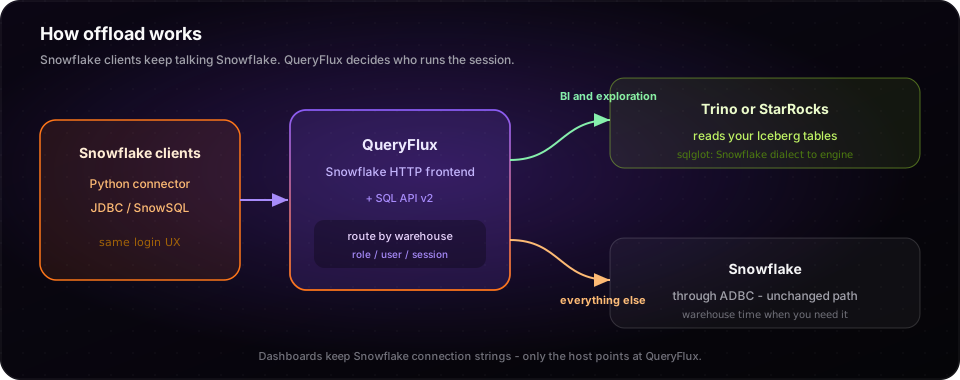
QueryFlux speaks the Snowflake HTTP protocol and the SQL API v2. The Python connector, JDBC drivers and SnowSQL log in to QueryFlux the same way they log in to Snowflake. At login, a router picks a cluster group for the session: by the warehouse, role or user the client asked for. Every query in that session runs on that group, with Snowflake SQL translated to the target engine's dialect by sqlglot.
Snowflake itself stays one of the backends, through the ADBC Snowflake driver, so anything you don't move keeps running exactly where it ran before.
The config
Turn on the Snowflake frontend, declare both backends, and route by warehouse:
queryflux:
  frontends:
    snowflakeHttp:
      enabled: true
      port: 8443

clusters:
  snowflake:
    engine: adbc
    driver: snowflake
    uri: svc_user@myaccount/analytics/public
    auth:
      type: keyPair
      username: SVC_ACCOUNT
      privateKeyPem: "..."
  trino-1:
    engine: trino
    endpoint: https://trino.internal:8443

clusterGroups:
  snowflake: { maxRunningQueries: 50, members: [snowflake] }
  lakehouse: { maxRunningQueries: 100, members: [trino-1] }

routers:
  - type: pythonScript
    script: |
      def route(query: str, ctx: dict) -> str | None:
          # Sessions that ask for the BI warehouse run on the lakehouse engine.
          if ctx.get("extra", {}).get("snowflake.warehouse") == "BI_WH":
              return "lakehouse"
          return None

routingFallback: snowflake
The router sees the login's warehouse, role and schema (snowflake.warehouse, snowflake.role, snowflake.schema) and the user. Here, sessions on BI_WH go to Trino; every other session stays on Snowflake. Start with one warehouse, watch it in Studio, then move the next.
ADBC drivers aren't bundled in the image; declare the Snowflake driver when you start the container (see ADBC drivers).
Point the clients at QueryFlux
The only change on the client side is the host:
import snowflake.connector

conn = snowflake.connector.connect(
    account="queryflux",
    user="analyst",
    password="...",
    host="queryflux.internal",
    port=8443,
    warehouse="BI_WH",      # this session will run on Trino
    database="analytics",
    schema="public",
)
Dashboards keep their SQL. Notebooks keep their code. Only the host in the connection settings changes, once.
What has to be true
Offloading is only as good as the engine receiving the work, so check these before you move a workload:
- The data is readable by the target engine. The usual setup: tables in Iceberg that Snowflake and Trino (or StarRocks) both read. QueryFlux maps Snowflake's
database.schema.tableto the engine'scatalog.schema.table, so name the engine's catalog after the Snowflake database. - The SQL translates. sqlglot covers most Snowflake syntax, but not all of it. Run the workload's real queries through QueryFlux before switching, and add Python fixup scripts for anything that needs a nudge. Query history keeps both the original and the translated SQL, so you can see exactly what ran.
- Routing is per session. The group is chosen at login and kept for the session; choose by warehouse, role or user, not per query.
- Some Snowflake features aren't proxied. Async execution, multiple statements per request,
ALTER SESSIONand server-side cancel aren't supported, and TLS is terminated in front of QueryFlux. The Snowflake frontend docs list the details.
What you get
- A way out of all-or-nothing. Move one warehouse's workload at a time, and move it back by changing one rule.
- The same clients. No dashboard rewrites, no new drivers.
- One record. Every query, on Snowflake or elsewhere, lands in one history with its user, route and timing, so you can compare before and after.
- Your engines, your environment. QueryFlux is open source and runs next to the engines you already operate.
Try it: the Snowflake frontend docs cover configuration and clients; routing and clusters covers the Python router.